
Research
What makes a project interactive?
Interactive media can take many forms whether it’s a website, app, game, or even social media or virtual reality. Forms of interactive media are defined as “products and services on digital computer-based systems which respond to the user’s actions” by Wikipedia, however, the methods used to interact are different based on the circumstance and platform.
Interactive media has become very useful for brands as requiring user participation makes the message that they’re trying to convey more accessible.
Here are some examples of media which we would consider ‘interactive’:
Websites
Websites are probably the most recognisable form of interactive media that we interact with on a daily basis. There are many interactive elements that make up a website such as menus, buttons, sounds, videos, and many more. Take a look at the example on the right. This is the “Museum of Annoying Experiences” by Zendesk, it is packed full of interactivity. When you first open the website you are greeted by a virtual museum with various different exhibits, you can use your mouse to navigate around the museum and each exhibit has its own interactive element, there are videos, interactive text and even whole games embedded into the experience. This experience is being used to promote Zendesk a tool for customer service management, and this method of fun, interactive marketing is becoming more common as it becomes easier.
But not all websites have to be an ‘experience’ in order to be classed as interactive. Take, for example Amazon.co.uk. It has many interactive elements such as a menu, buttons, sounds and videos to promote various products and services. This kind of linear navigation website is the most common type you’re likely to interact with, but everything that you do on the website is still interacting with it.
Video Games
Video Games are a very popular form of interactive media and are entirely based around interactivity. There are various different types or genres of video games, including Adventure, Action, Sports, Simulation, Platformer, RPG (Role-playing game), First-person shooter, Action-adventure, Fighting, Real-time strategy, Racing, Shooter, Puzzle, Casual, Strategy game, MMORPG (Massively multiplayer online role-playing game), Stealth, Party, Action RPG, Tactical role-playing, Survival and Battle Royale. (Shahbazi, 2024).
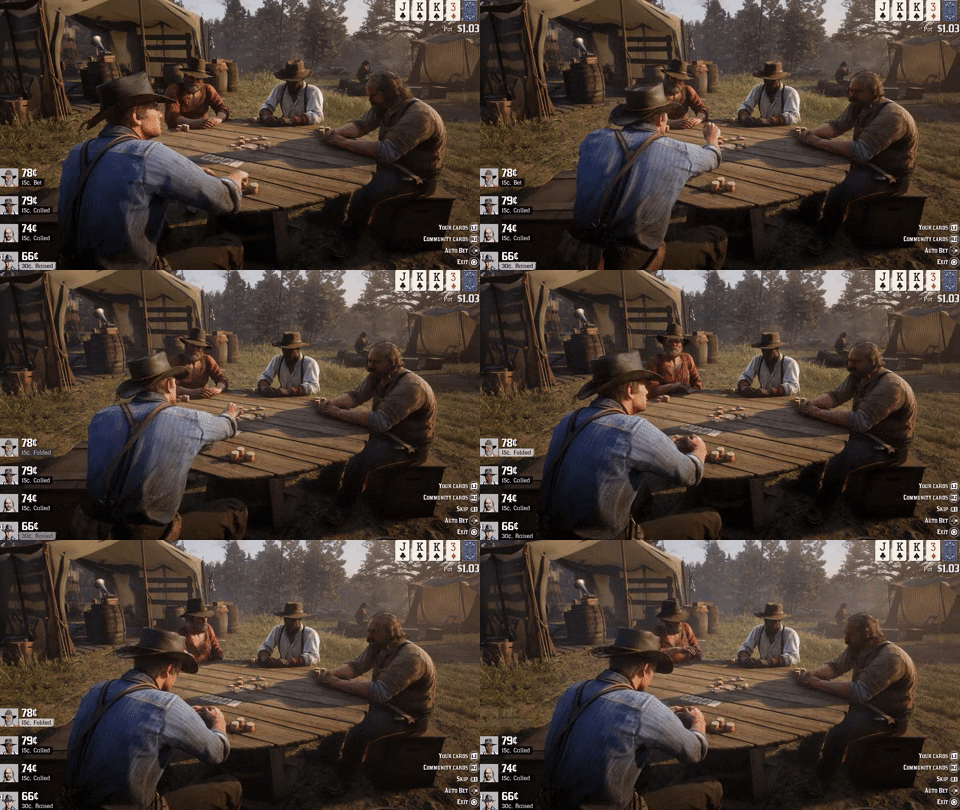
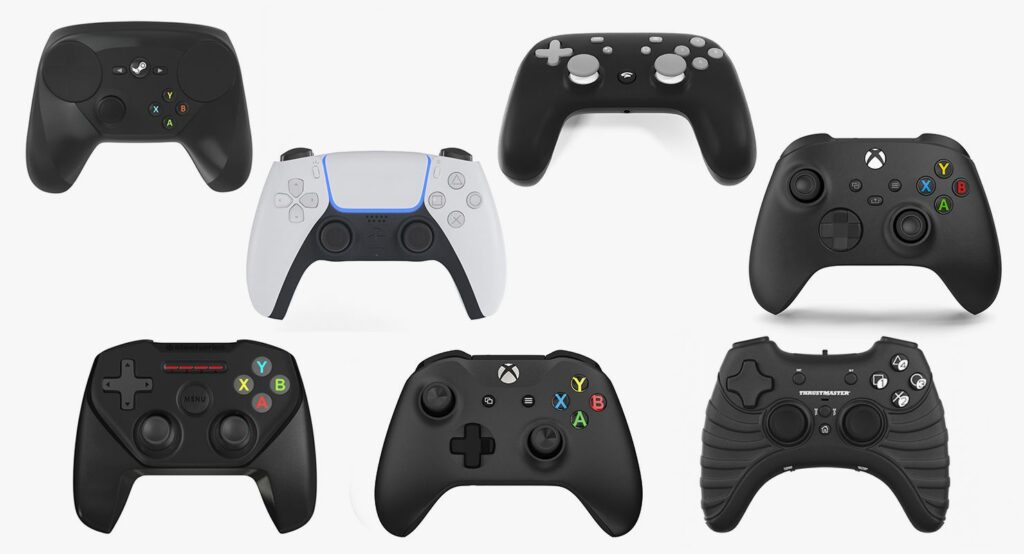
Video games include an assortment of different interactive elements, for example in almost all games the player must use some form of human interface device (HID) whether that be a games controller, a keyboard and mouse or a touchscreen to interact with the virtual world, move around and complete ‘missions’ or tasks. Video games are also a multimedia format, i.e. they bring together sound, video, text, interactivity, sensory feedback (such as vibration) and more to create an experience for the player.
Virtual Reality
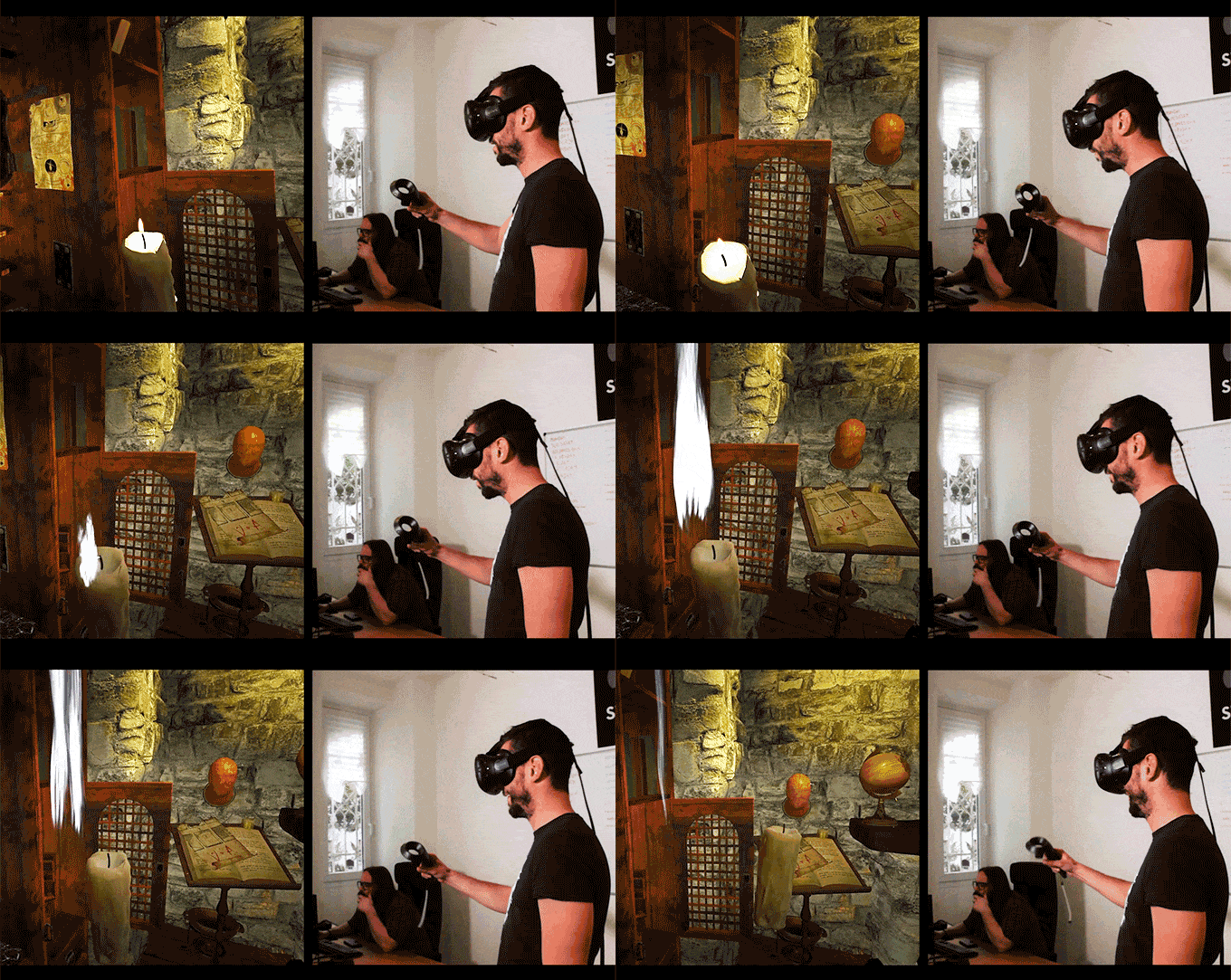
Virtual reality (VR) is a relatively new form of interactive media, in its most simple and most common form, virtual reality involves exploring a simulated virtual world using a VR headset and controllers, designed to immerse the user. VR experiences are often video games designed for entertainment, however, more and more companies are using VR for various business purposes such as virtual meetings. VR is also being increasingly used in medical and educational environments as new uses for the technology are being discovered.
360° Cameras & Virtual Experiences
Virtual experiences don’t just have to be limited to virtual reality, they can also be explored through a 2D interface such as a monitor or screen, for example, a common use of virtual experiences are ‘interactive panoramas’ such as Google Street View or real estate virtual tours. This technology involves the use of 360° cameras to capture multiple 360° panoramic photographs to then be displayed virtually on a website or app with the ability to navigate a real location without having to be there.
As an example, I created a simple virtual tour of as much of the ground floor of the Arts building at college as I could. I set up a 360° camera on a light stand and placed it in several different places around the building, using the app to take the images remotely so that I wouldn’t be in them. I then took the images and put them into ‘Lapentor’ a free virtual tour software and stitched them together, adding buttons to navigate around the space. I had initially wanted to use the service ‘Matterport’ as it had a much more interactive and smooth user experience, however, I didn’t have enough images for it to ‘scan’ to create a 3D model of the space so that It could place the images correctly and so it didn’t work particularly great.
Choose Your Own Adventure
‘Choose Your Own Adventure’ was a series of fiction novels published between 1979–1998 in which the reader was given the ability to change the direction of the plot based on various decisions the reader made for the characters throughout the novel. Modern technology has allowed this style of interactivity to be brought into modern media through videos, TV shows and films. For example, Netflix have used this style of interactive media in shows such as Bear Grylls’ ‘You vs. Wild’ (2019), ‘Black Mirror: Bandersnatch’ (2018), and ‘Escape the Undertaker’ (2021).
This style of interactivity can also be used for educational purposes. An example of this is ‘Trylife’ an organisation that develops interactive stories with the goal of teaching life lessons to teenagers in the north-east. They have produced 6 ‘episodes’ to date. Each ‘episode’ explores a different person’s story and attempts to teach a different life lesson about important topics such as consent and domestic abuse, among others.
There are many different methods of achieving this method of interactivity, whether it’s displaying the videos on a website and having the interactivity as a part of the website in the case of ‘Trylife’, or whether the interactivity is part of the media player itself as is the case on Netflix. This style of interactivity can even be achieved for free on YouTube as this video explores. All you have to do is upload each ‘branch’ of the story as a separate video (making sure that all but the first video are unlisted) and then link to each branch in the end screen. Take a look at the example below.
Social Media
Social media is a key form of interactive media that the majority of the population uses on a daily basis. Social media platforms facilitate the creation of ‘User Generated Content’ or UGC which is then shared to garner attention and engagement from other users of the social media platform. UGC can take various forms, including posts (text, videos, photos or audio), stories or status updates, short-form content (Instagram Reels, Youtube Shorts, TikTok) or Direct Messages (DMs)
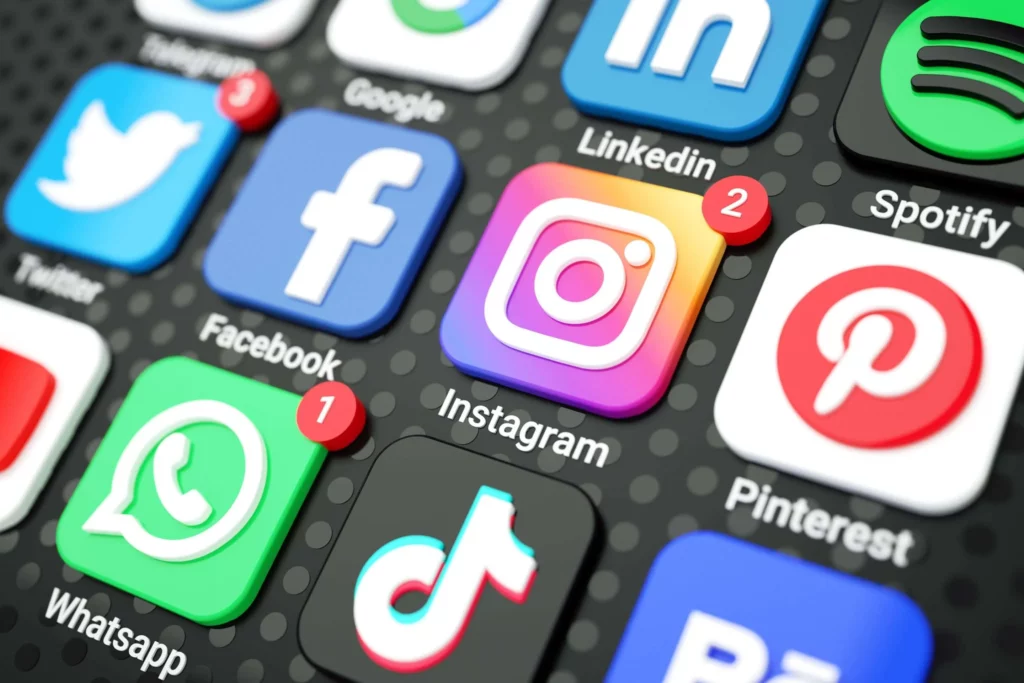
Here’s a quick run down of some of the major social media platforms:
- Facebook – one of the first major social media platforms, on which users can share all kinds of media with the hopes of building connections.
- Instagram – acquired by Facebook’s parent company (now ‘Meta’) in 2012, Instagram is primarily based around the sharing of visual media including photos, videos, stories, and short-form videos (Instagram Reels).
- Twitter (X) – X (formerly Twitter) is a platform for sharing primarily text posts limited to 280 characters as a sort of ‘status update’ although increasingly more visual media is shared on the platform.
- TikTok – TikTok is the home of modern short-form content, displayed in a vertical format and usually under a minute in length.
- YouTube – YouTube is where you’ll find all kinds of video content, from hour-long professionally produced documentaries to 30-second short-form videos they call ‘YouTube Shorts’.
- Snapchat – Snapchat is primarily a communication platform for direct messaging, however also has features such as stories and ‘snaps’ – vertical photos sent directly to other contacts.
Social media platforms include lots of interactive elements such as the ability to interact with posts or other users by ‘liking’, commenting, reposting, or tagging.
Most social media platforms are algorithmically driven – meaning that a computer algorithm decides the content you see. This algorithm can take into account many different factors when choosing what a user sees such as what content the user has previously engaged with as well as demographic and other data which the user has provided to the platform, however, the algorithm can also take into account data regarding the posts themselves such as how popular it seems to be (via likes and comments) and (as they don’t want to drive away advertisers – from whom these platforms make most of their money) whether the content is ‘advertiser-friendly’
As I just touched on, there are many different factors which dictate how and whether a piece of content is served to users through the algorithm. Finding and including relevant ‘hashtags’ in your post is an important way to make sure that the content that you produce is directed to the most relevant group of users who can appreciate it. For example, if you are posting about a handmade wooden bowl, you might include hashtags such as #woodworking, #handmade, #handmadegifts, #gifts, etc. These tell the algorithm what the content is and allows it to better recommend your content. There are many tools such as ‘inflact.com’, ‘hootsuite.com’ and ‘all-hashtag.com’ which can help you find the appropriate hashtag for the content.
My Project
Promo Videos & Advertising
For my project I intend to make a promo video. This video will then be uploaded to social media and the interactivity will come from the user engagement recieved on the video.
Firstly, what is a promo video? A promo or promotional video is a video that is described as ‘a marketing video intended to promote your products, services, events, and sales to consumers’ by influencermarketinghub.com. They are usually quite short in length and there are many different types of promo videos, including product promotion, interviews, animation, testimonials, and more.
With promotional videos, it is important to understand your audience. Companies, brands and anyone else commissioning a promotional video will have a target audience for their product, service or event and so it is important that you research and understand who that target audience is. You must understand their demographic (age, ethnic background/race, nationality, gender, etc.), shared interests and behaviours.
I will be creating a promotional video for Jonny Trotter a second-year media student who is releasing an album. I plan to create an interview-style promotional video to promote the album. Jonny is targeting the album towards members of the same demographic as himself; British teenagers and young adults aged roughly between 16 and 25. This will impact how I produce and distribute the video. For example, whilst the main video will be a long(ish)-form interview, I will cut it up into short-form highlights to post on social media.
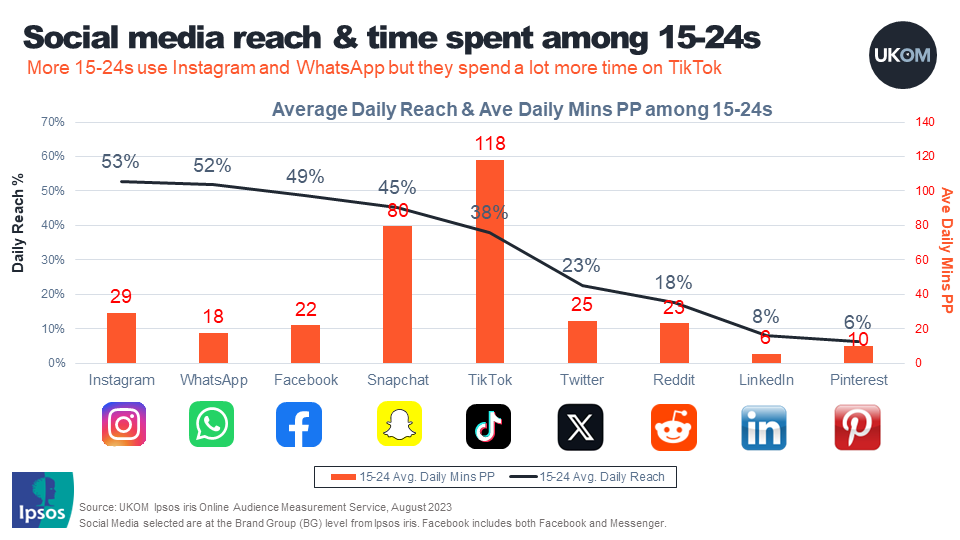
But, onto what social media? Well research conducted by UKOM (United Kingdom Online Measurement) shows that the most popular social media platforms among 15-24 year olds (our target demographic) are led by TikTok with on average ~118mins/p, followed by Snapchat (~80mins/p) and Instagram (~29mins/p). Therefore these are the platforms on which I intend to distribute short-form versions of the interview after the full interview is released on YouTube.
All of these platforms feature in-depth analytic tools and therefore these will show me how well the interview performs.
Pre-Production
Equipment List & Shooting Settings
Shooting Schedule
Risk Assessment
Call Sheets
Production
Day 1 – 19.3.24 – A-Roll
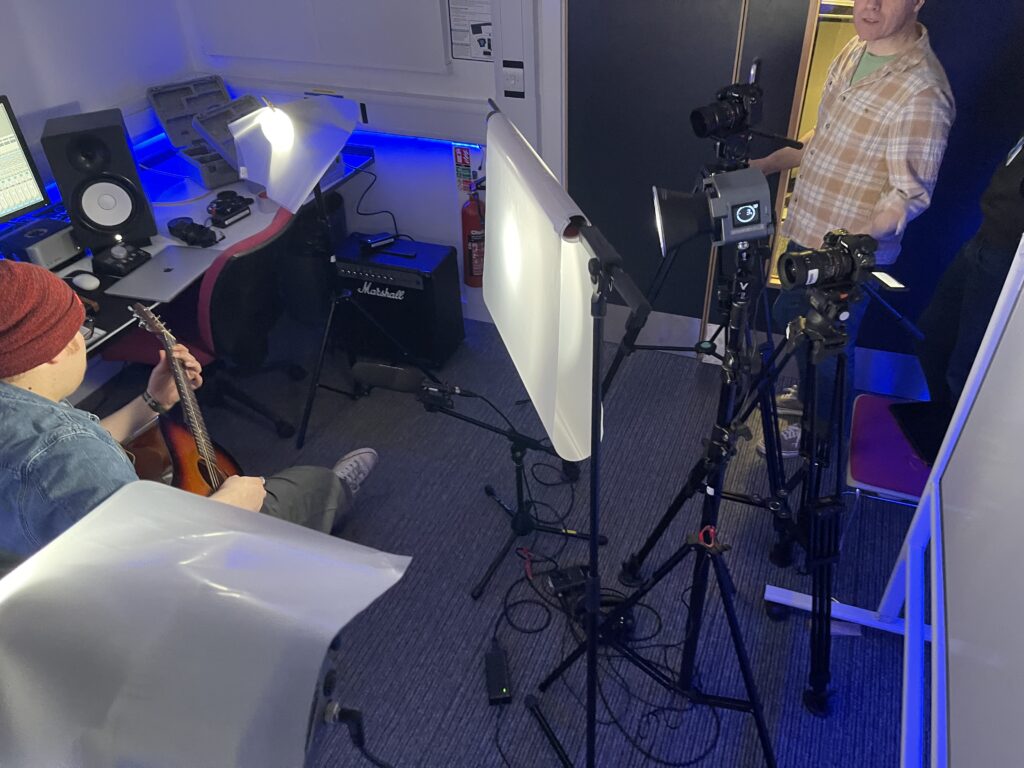
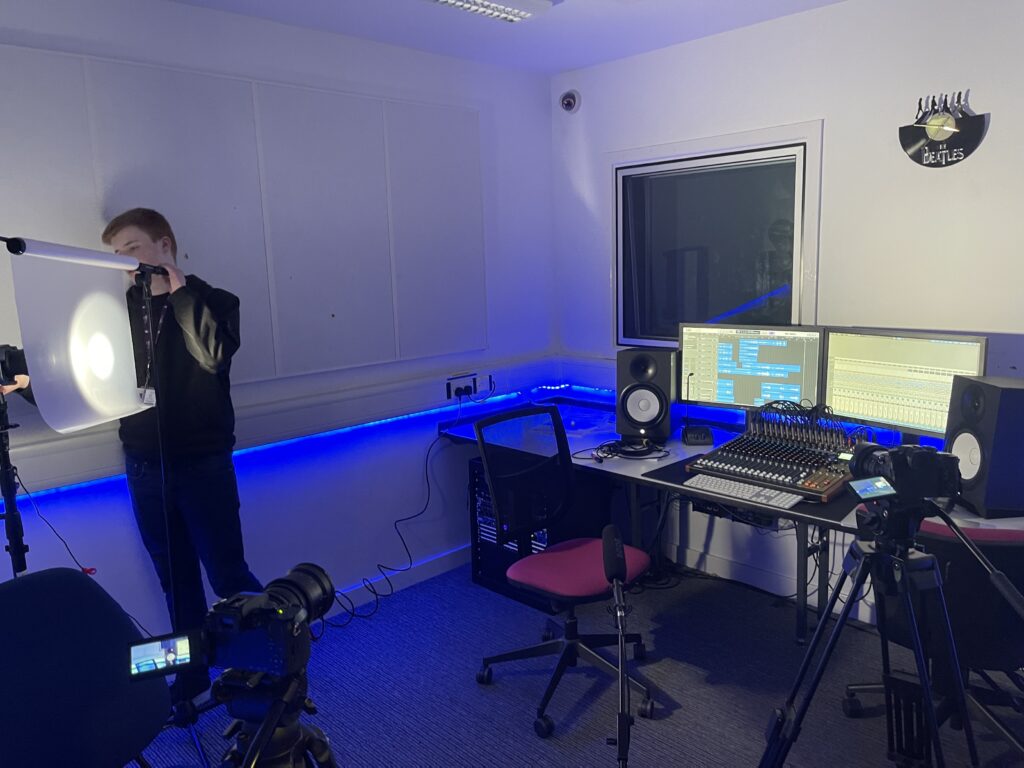
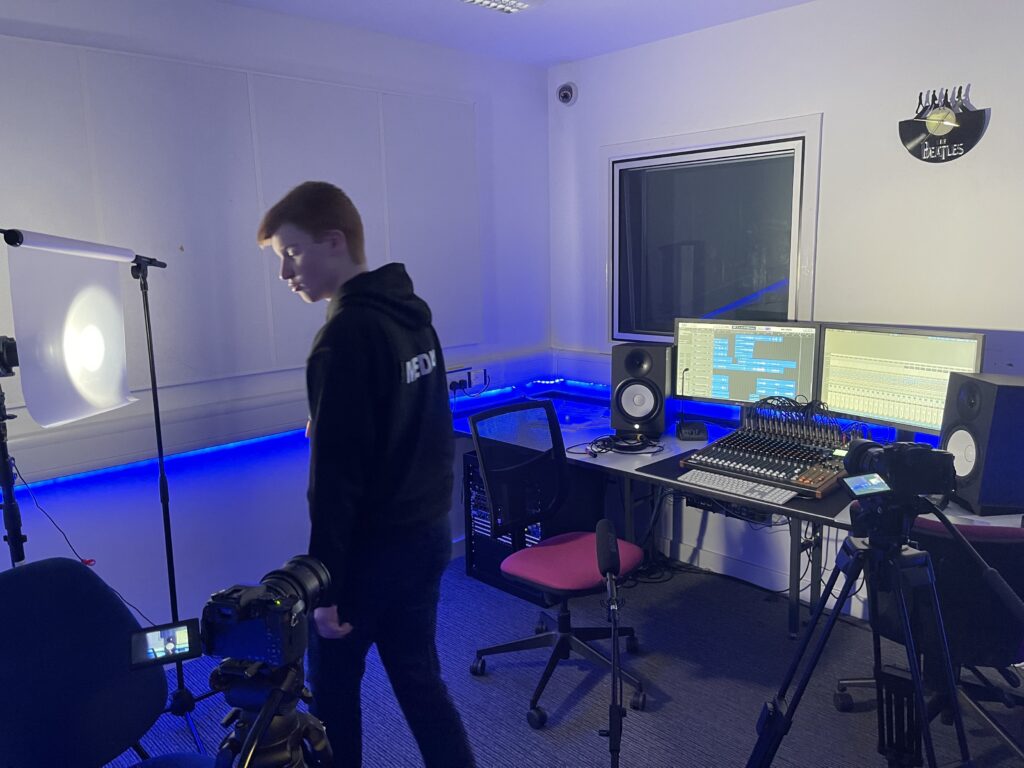
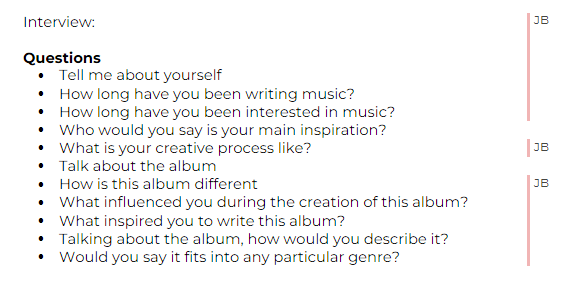
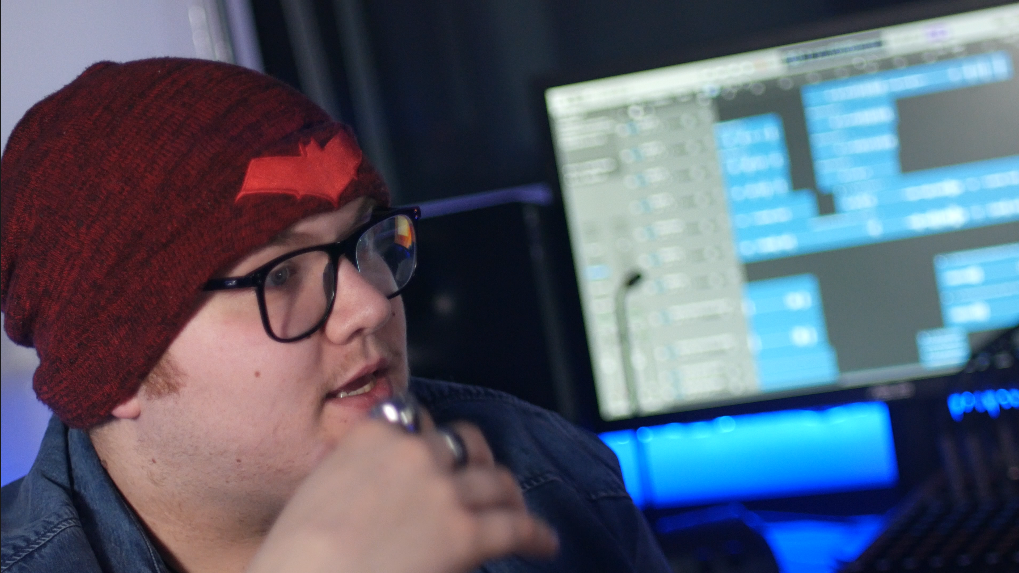
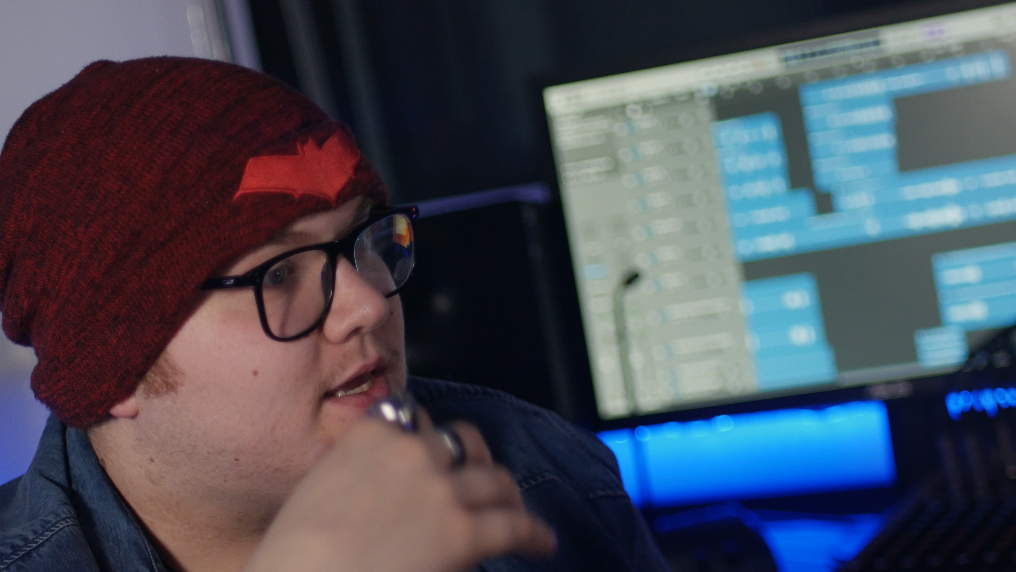
After getting permission from Samia we set up the equipment in the music studio with one A cam framed as a medium shot and a B cam framed on a Dutch angled close-up. We set up a simple 3-point lighting set-up with some help from Paddy. The questions were mostly pre-planned (see image) although some were impromptu as the interview went different directions.
Day 2 – 20.3.24 – B-Roll
Day 2 was more straight forward – me and Jonny went around the music studio, recording booth, and rehearsal room and filmed Jonny using various instruments and the mixing desk.
Talent Release
Post-Production
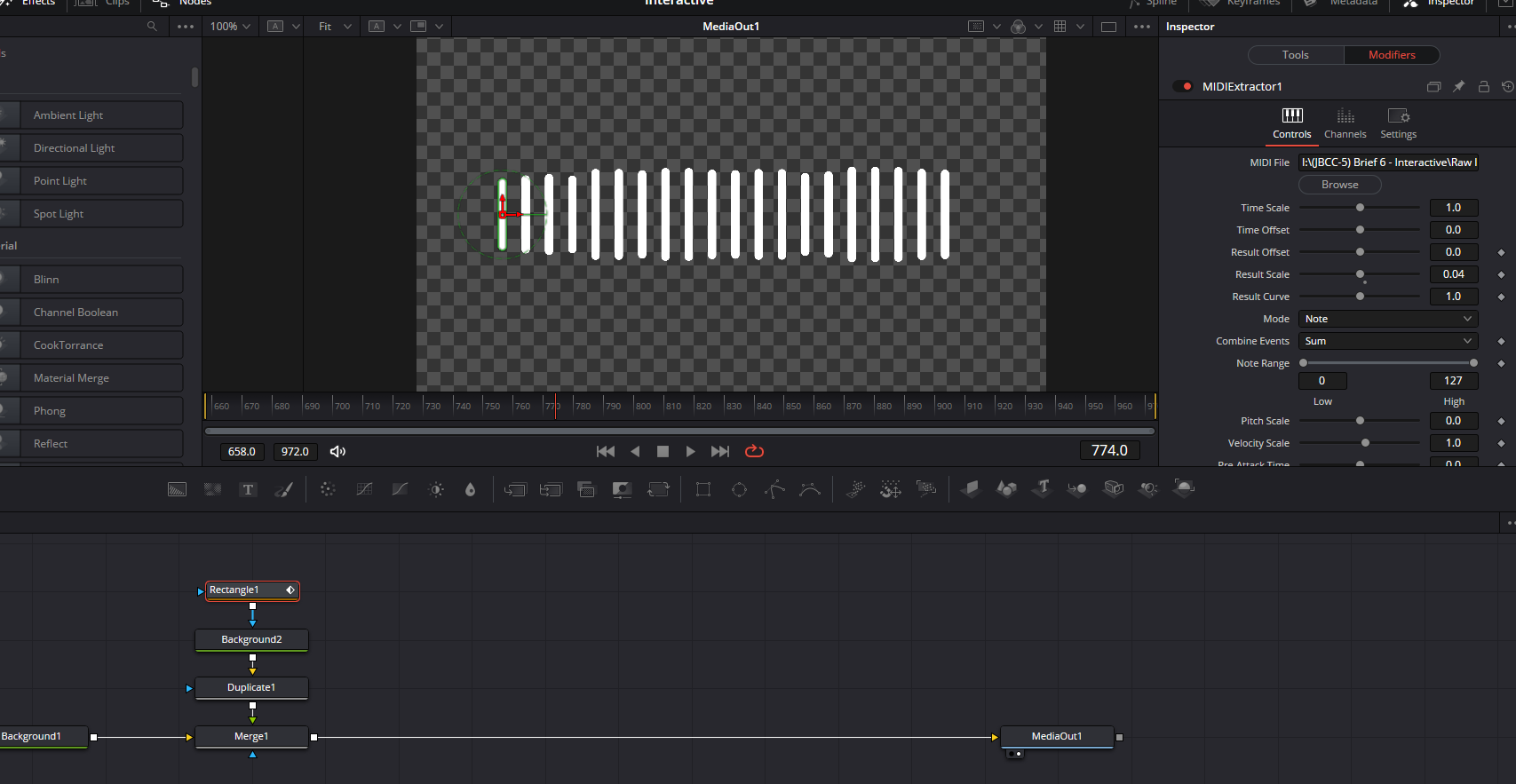
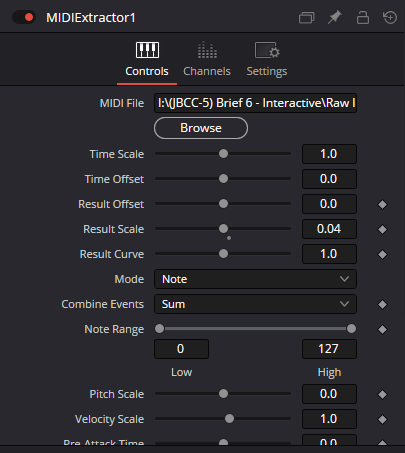
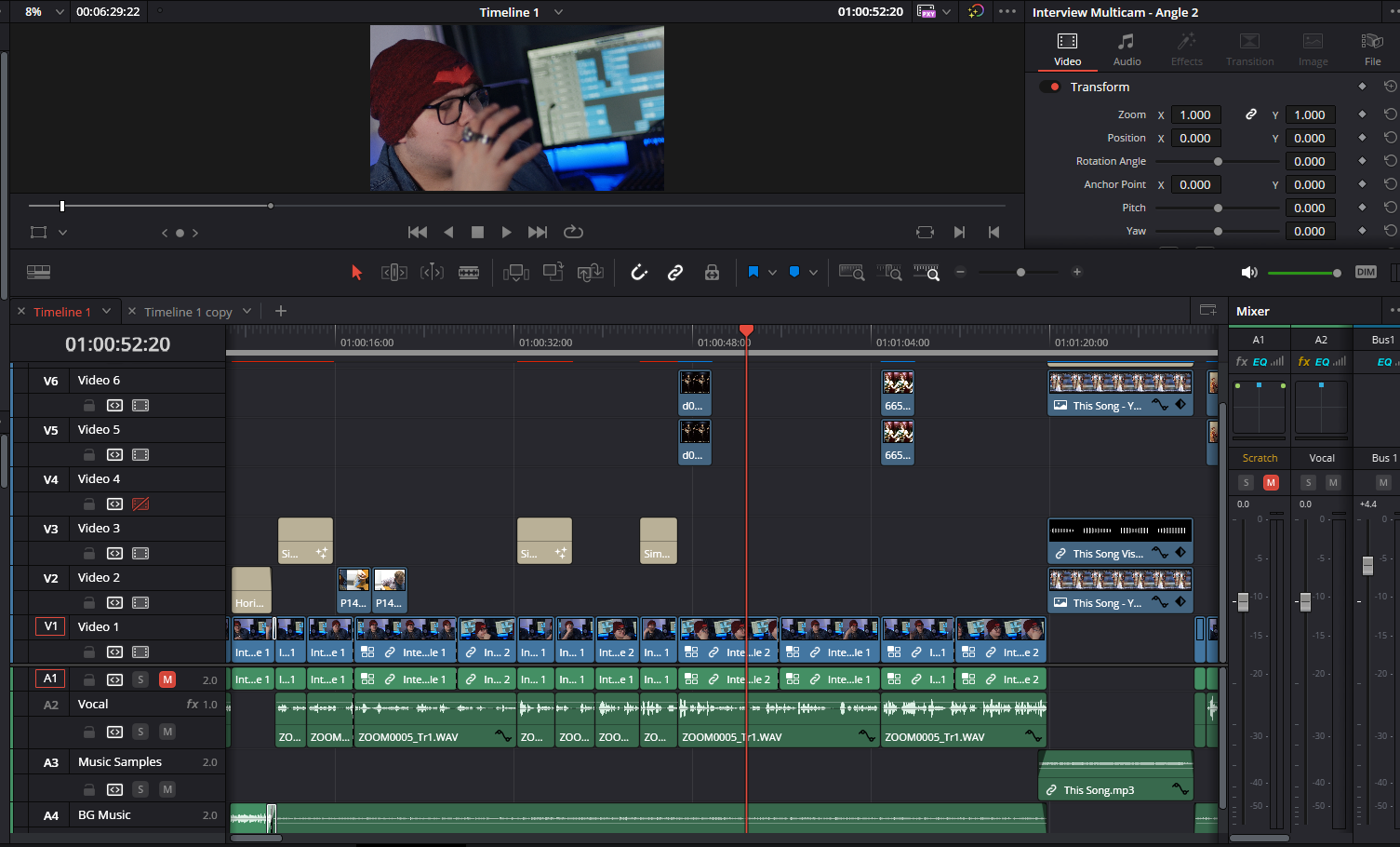
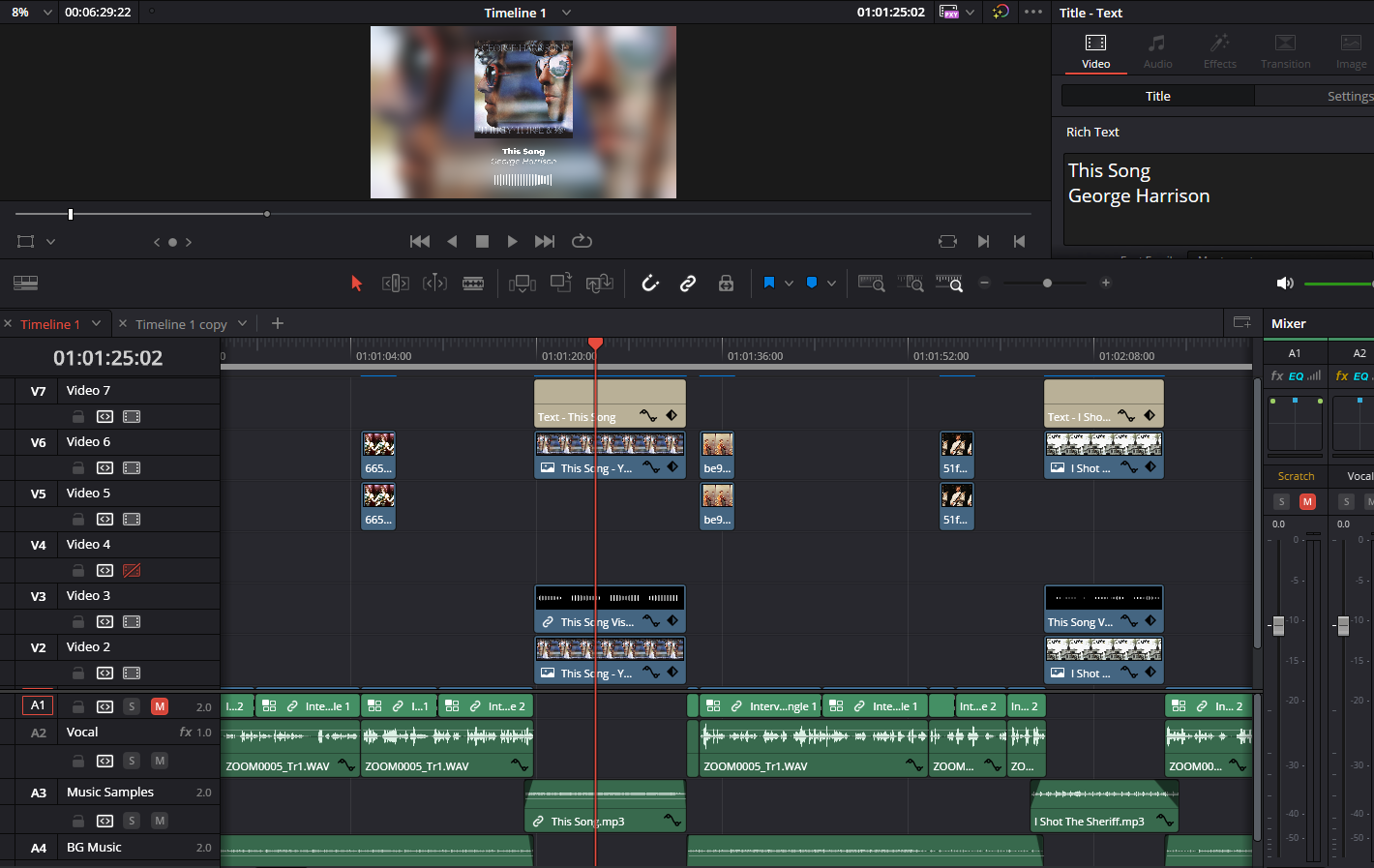
The edit was also very straightforward. I set up the two angles as a multicam clip and aligned them based on the camera scratch audio waveform. I then cut between them and added in various images and music samples based on what was being talked about in the interview. I created a waveform graphic that matched the music for when the samples were played and I used Jonny’s music as the background track.
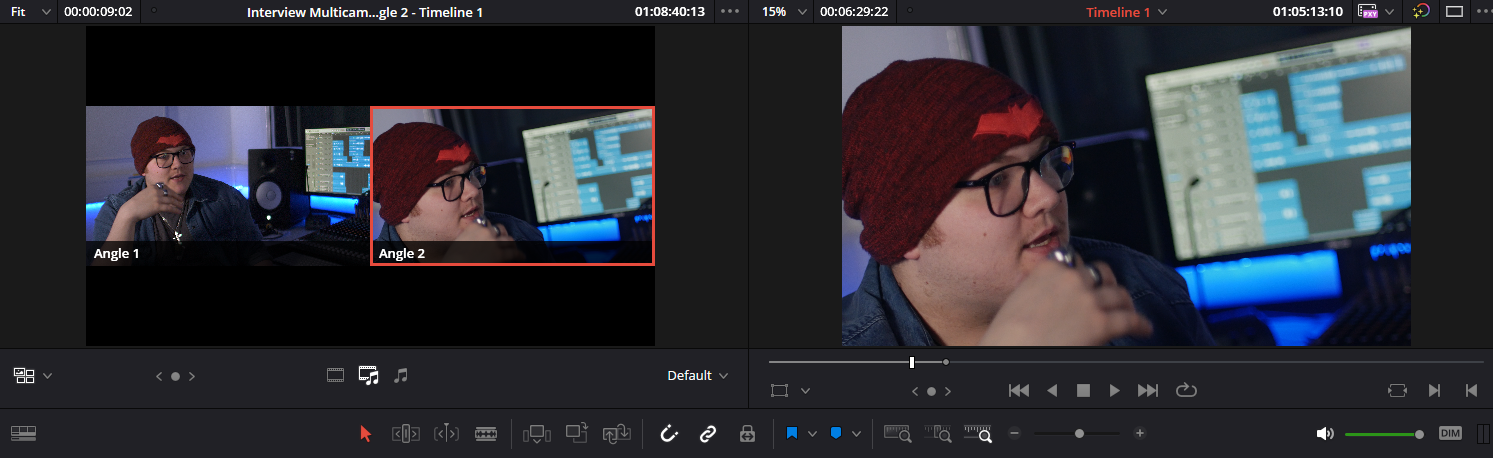
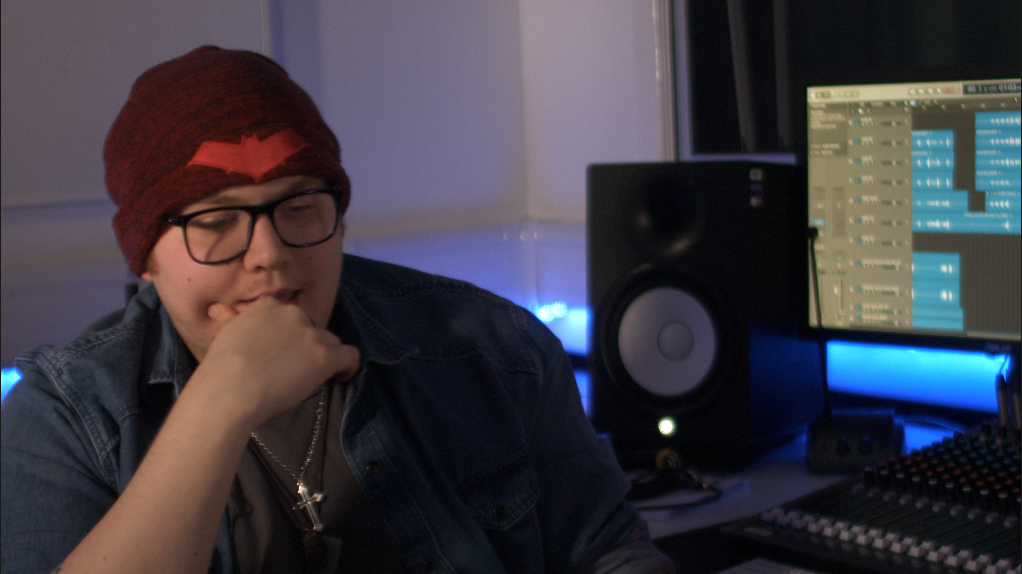
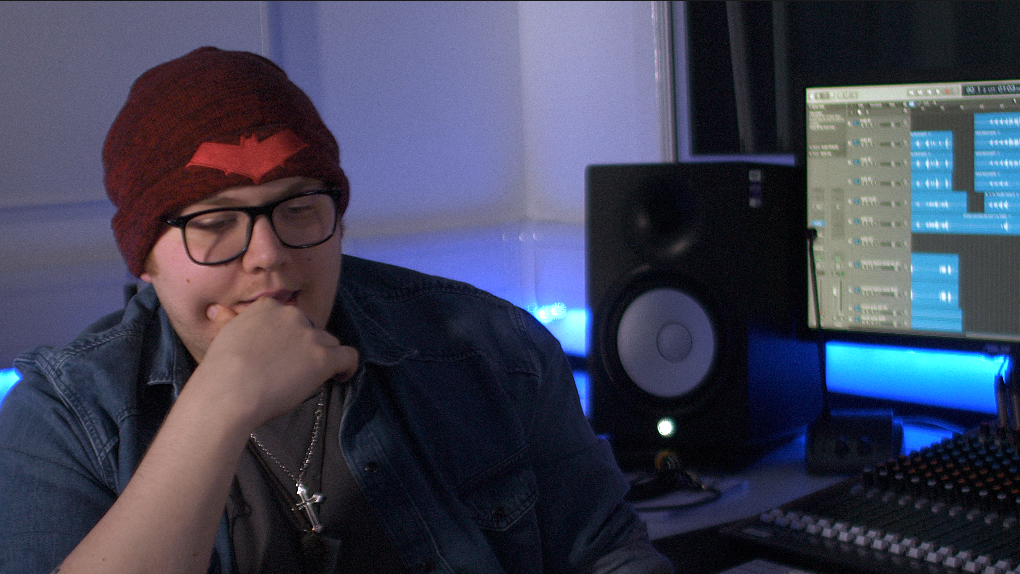
I also colour-graded the two clips so that they matched as the colour settings were different on the two cameras and I added some film grain to smooth over any over-sharpening.
Reception
Analytics
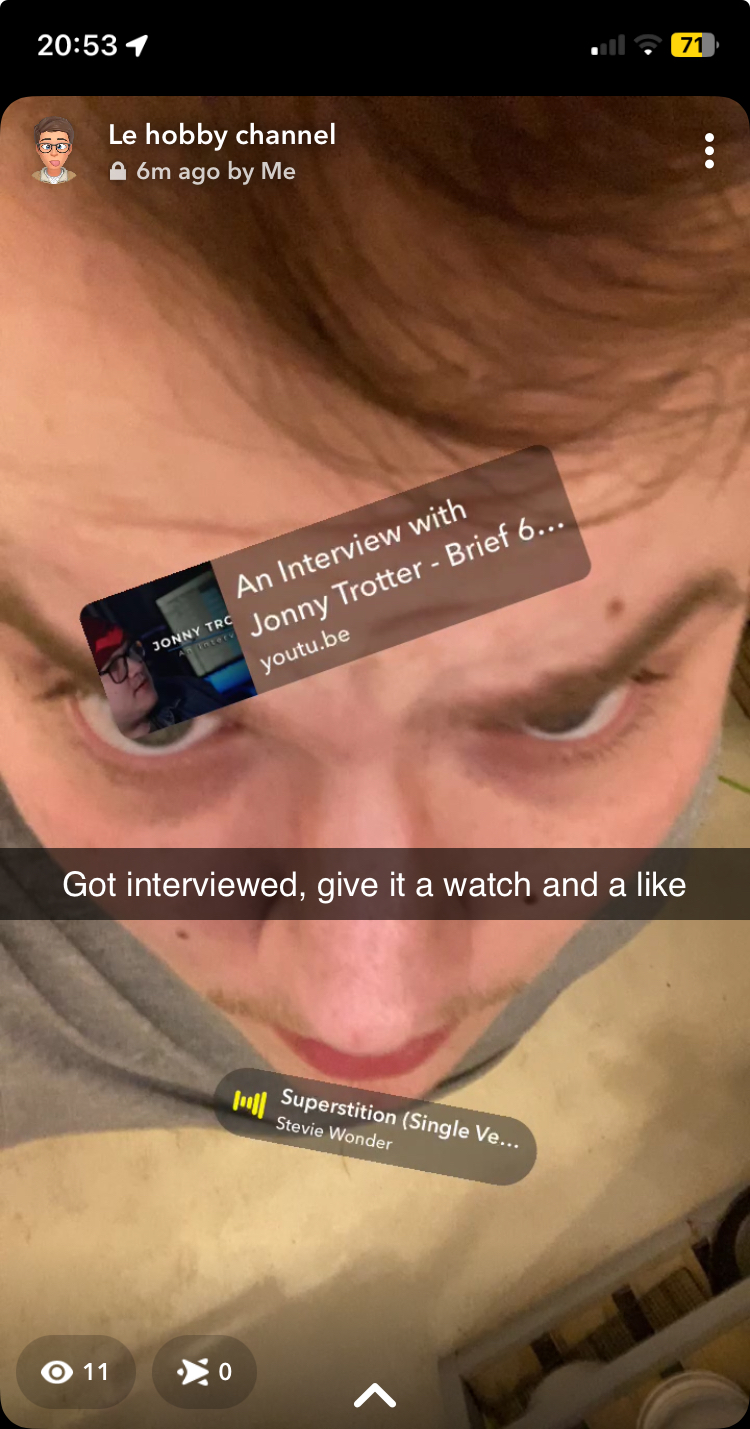
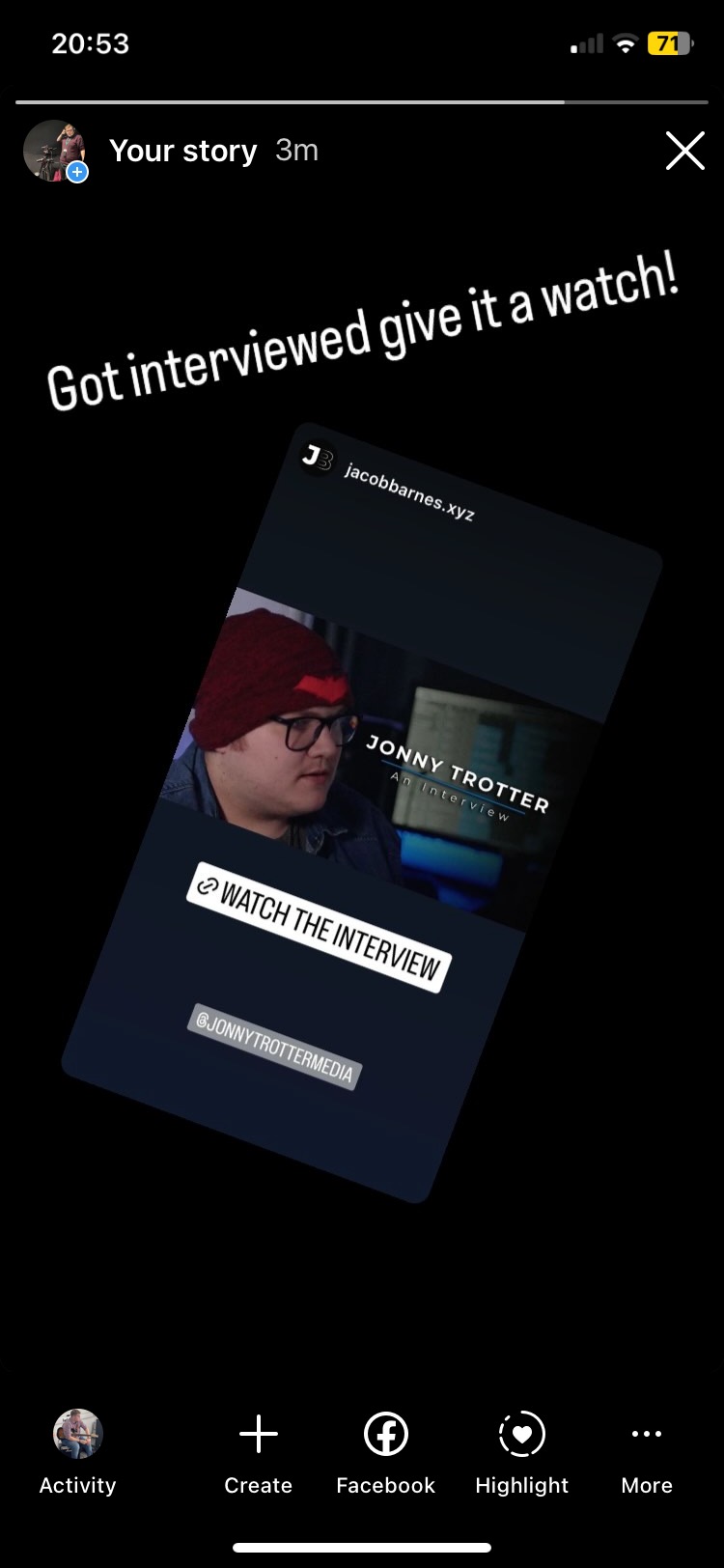
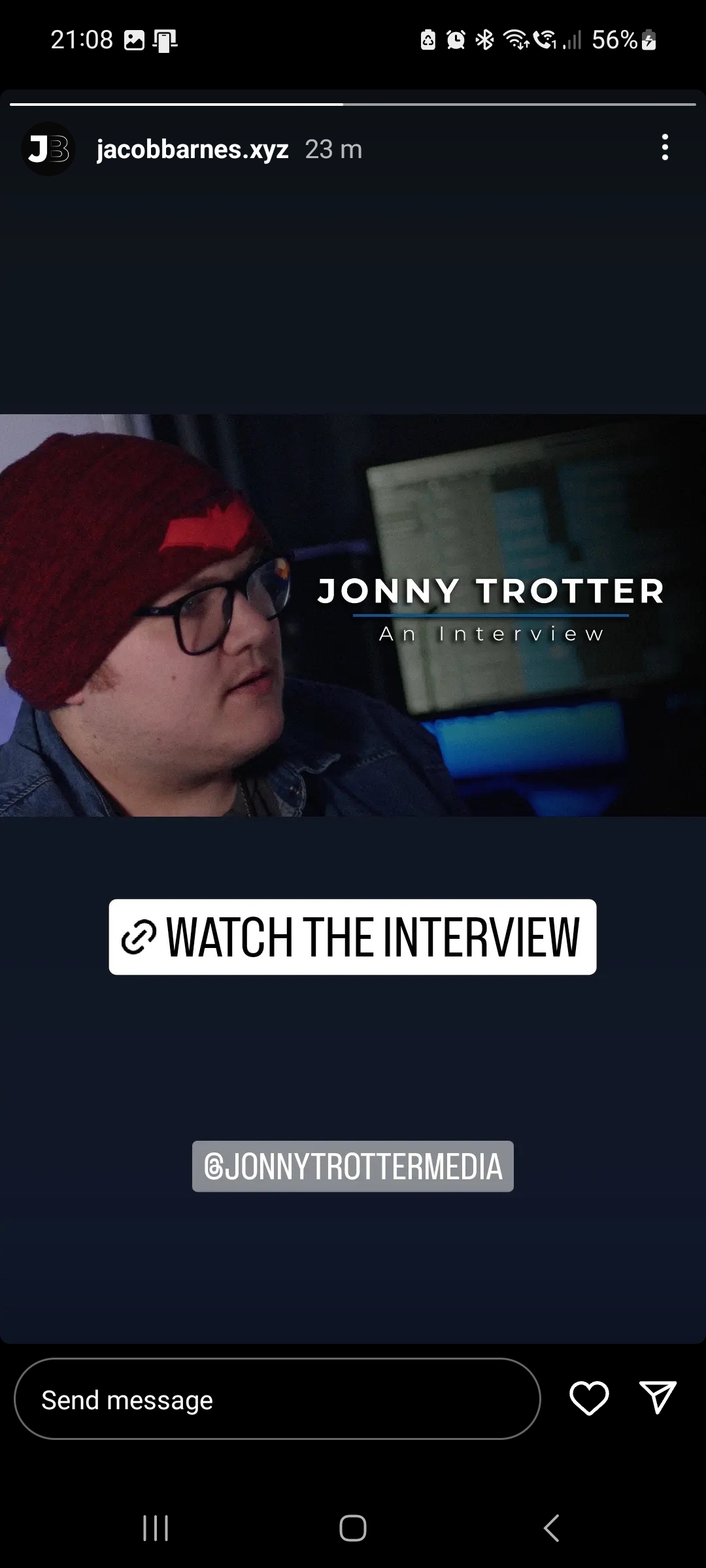
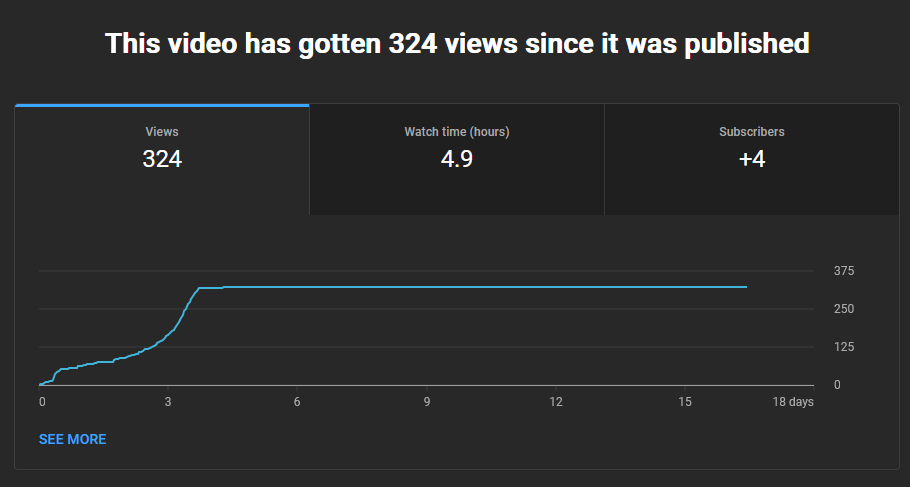
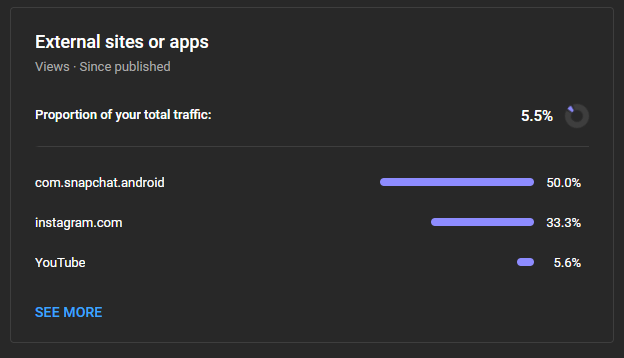
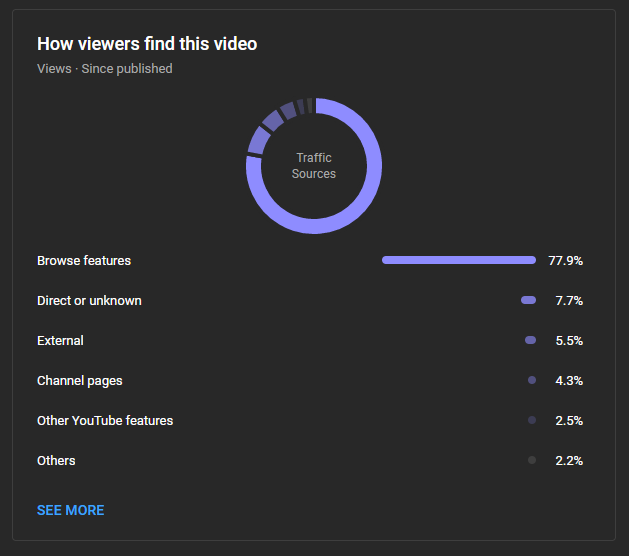
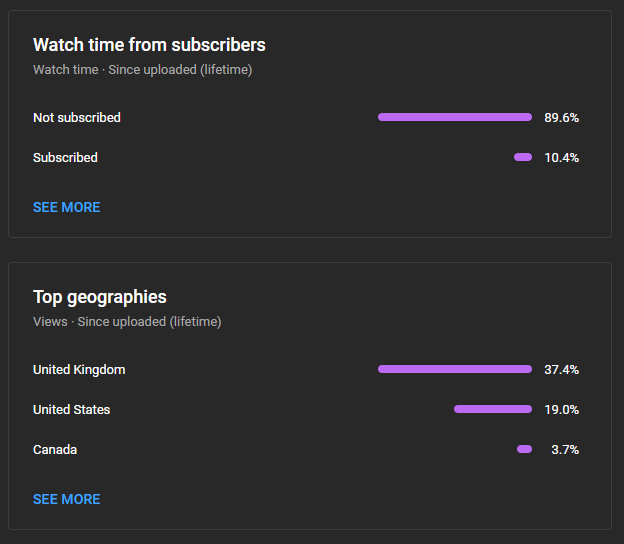
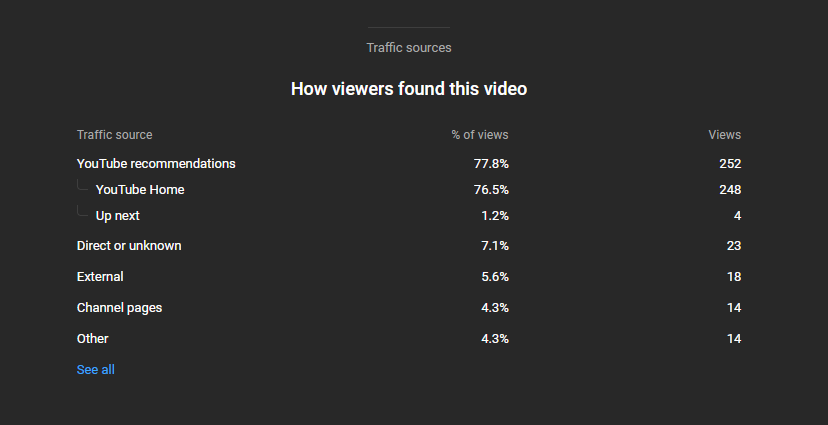
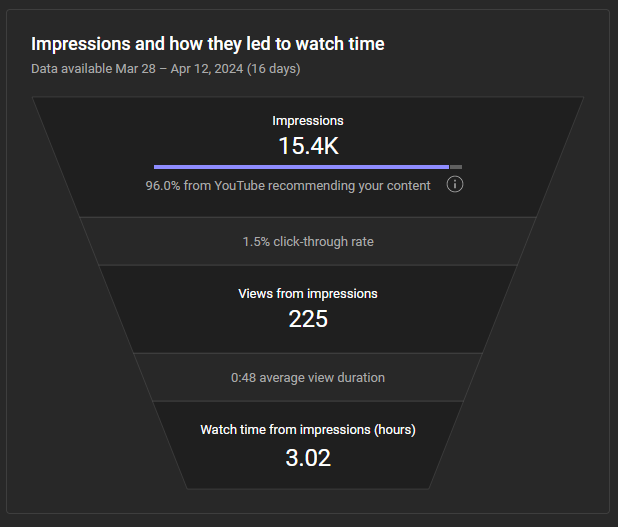
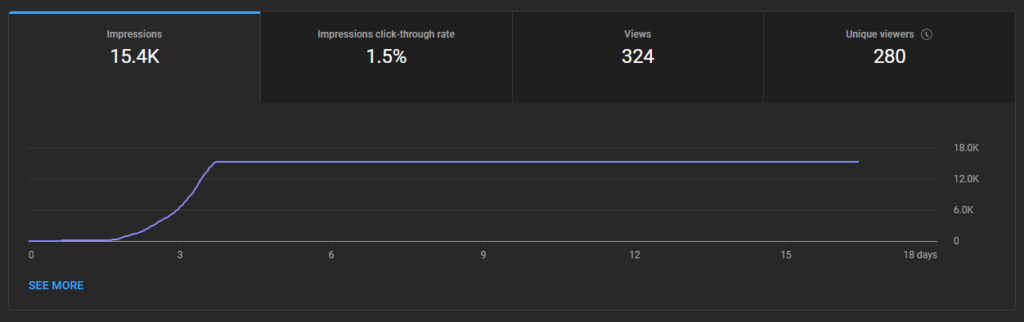
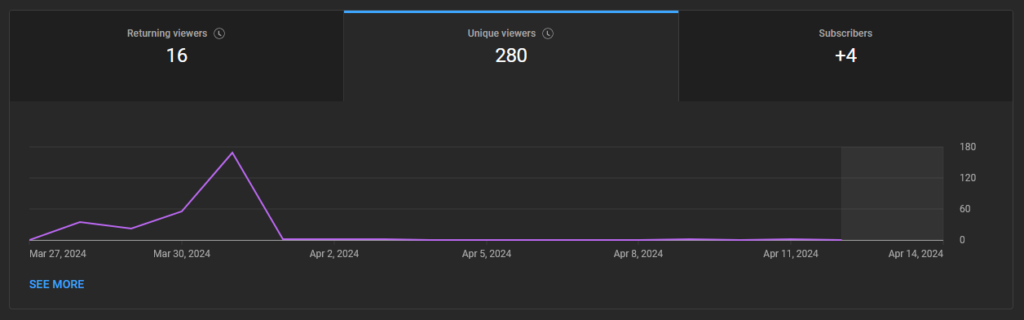
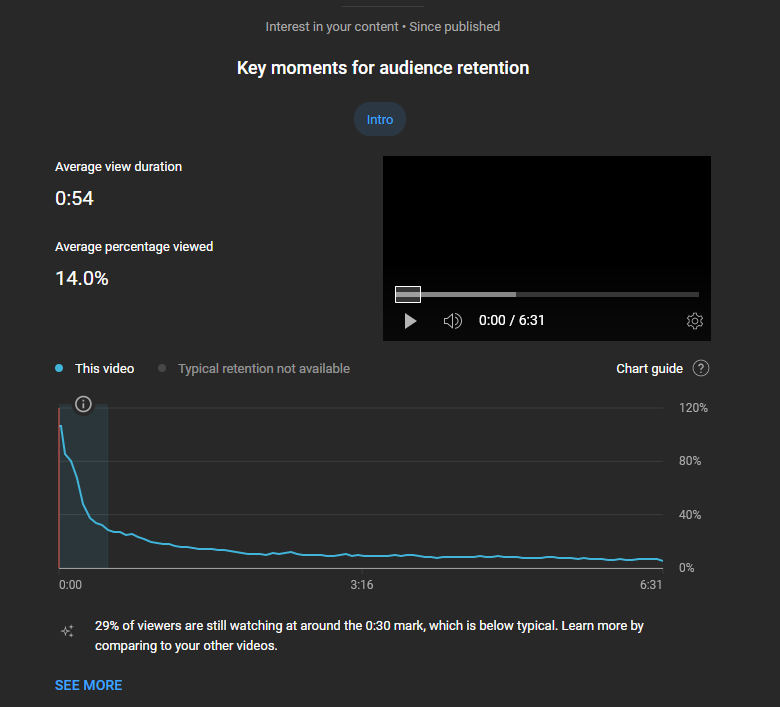
Youtube Studio provides very detailed analytics for several different aspects: Reach, Engagement and Audience. The images below are screenshots from the Youtube Studio dashboard taken 2½ weeks after the video was published and announced on Jonny’s and my Instagram and Snapchat accounts.

Evaluation
In conclusion, I believe that I created a video which successfully promoted Jonny’s upcoming album and reached a large audience. Whilst the original plan was to shoot a promo for Paddy’s production company, I think that working with Jonny was the best idea as Jonny needed a way to promote his album and I needed to complete this project so it was a win-win. We communicated professionally and effectively to organise the interview and final video.
From a technical point of view, the video looks decent. We experienced some issues with the A cam being ‘unfocusable’ as it seemed to always appear quite soft no matter how many times we tried to focus it – we believe that this was an issue with the actual sensor of the camera. But this was fixed decently well with some sharpening in post and a film grain effect to hide any over-sharpened areas. The interview took longer to set up than I had initially expected; it took close to 3 hours to get everything set up and ready to shoot. I wish that we had started earlier in the day so that Jonny had more energy because, although he did very well, I think that as it was shot towards the end of a rather long day you can tell in the video that he’s perhaps not as enthusiastic as he would be normally.
Whilst generally, I think that I planned out the shoot effectively, I do think that I should have given more attention to the questions that I was going to ask, I wish that I had done more research about what questions to ask and come up with a few more. I also wish that I had had more time to publish snippets of the interview in the form of short-form media such as TikTok and Instagram Reels to reach more people and further promote both the interview and Jonny’s Album.
Furthermore, I wish that I had shot more B-roll as at times the interview can feel quite ‘stale’ as it’s just simply flicking between two shots with the occasional bit of B-roll.
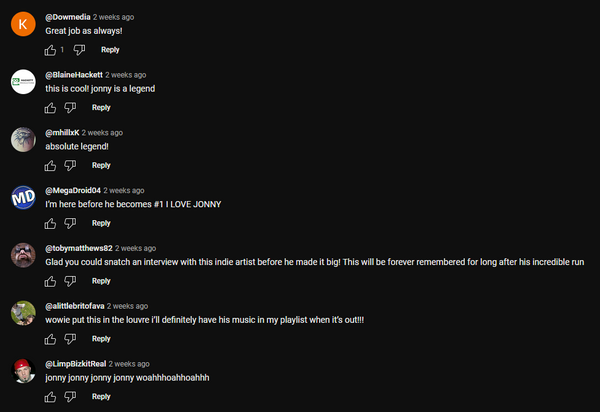
Jonny seemed pleased with the final video and the comments on Youtube were similarly positive (although most of them were just praise for Jonny):
The interview got to over 320 views within the first 4 days of it being released – thereby proving that it can’t have been too bad and that the promotion we gave it on Instagram and Snapchat was effective.
To sum up, I think the video did a good job promoting Jonny’s new album to a wide audience. We had some trouble with the main camera’s focus, but it was fixed in post-production to a suitable degree. Setting up the equipment for the interview took longer than expected, which possibly affected Jonny’s (and the rest of the team’s) energy towards the end of the day.
Looking back, I realize I could have prepared better interview questions and done more research. Additionally, there’s a missed opportunity in not utilizing short-form media platforms like TikTok and Instagram Reels for wider promotion. Adding more B-roll would have also made the video more interesting during the interview parts.